* Time control
You can take full control over time in the game: slow it down to watch the destruction in detail, increase the speed for a more dynamic experience, or even stop time to plan your next move.
* Gravity simulation
Want to experience the feeling of being in space? Try out the low gravity mode and see how objects behave in a reduced gravity environment. Or, if you prefer, go for high gravity for a different kind of destruction experience.
* Gameplay adjustments
Customize your gameplay experience by adjusting various settings: choose to enable or disable the visualization of explosions, with or without the debris effect, depending on what you want to see. You can also choose between smoke only, light effects, or turn them off completely.
If you feel there's too much debris on the screen obscuring the view, you can enable the option to limit debris, making everything above a certain amount disappear smoothly. Conversely, if there's not enough debris for your liking, you can simply increase the destructibility level.
* Arsenal of destructive weapons
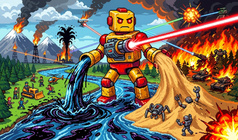
With over 13 different explosives at your disposal, including missiles, dynamite, bombs, earthquakes, tornadoes, and singularities, you'll have all the tools you need to cause massive destruction. Choose from different sized cannon balls to suit your needs, or unleash your creativity with a custom gun editor.
* Explore and create maps
Wreck havoc on over 30 prebuilt maps, each offering its own unique challenges and environments. If you're feeling creative, use the map editor to build your own maps and share them with the community.
Oynama qaydası
On a computer, click and hold the left mouse button, then move the cursor across the screen to rotate the camera. Move using the keys WASD (and Q and E to raise the camera shutter). Everything else is done through the game interface.
On mobile devices, use your fingers for interactions and refer to the in-game UI for navigation and controls.